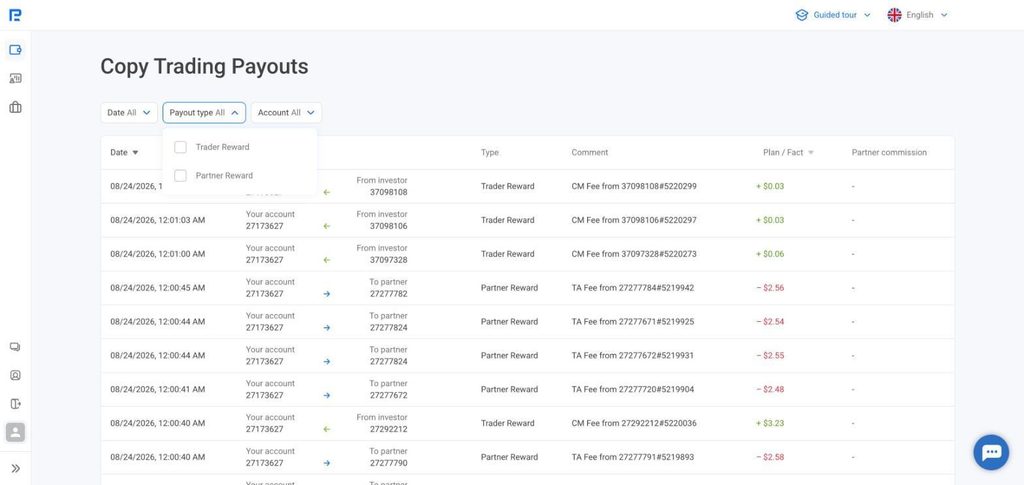
By default, payouts, referrals, and reward history are sorted from newest to oldest, and strategy cards in Trader Conditions are sorted by Highest Portfolio. To change the order, click a column header with an arrow or use the Sorting menu.
In Copy Trading Payouts, you can filter records by Date, Payout type (Trader Reward or Partner Reward) and Account.
Timestamps in all tables (such as creation, update, or activation times) are displayed based on your web browser’s local time and date format settings.
In the table, Plan / Fact shows the estimated payout alongside the confirmed payout you received. The Plan and Fact amounts may differ due to real-time changes in exchange rates, available funds, etc.
Colour legend for the column:
- Grey (Plan): estimated amount
- Black: no commission applied
- Red: an amount paid out from your account, shown with a minus sign, for example, a reward paid to a Copy Partner
- Green: an amount credited to your account, shown with a plus sign, for example, your Trader commission from an investor